Every visitor, verified at the gate.
Digital passes with photo, ID check, vehicle plate and before-entry rules. Guards scan at every gate, and security sees who is inside, and who has stayed too long.
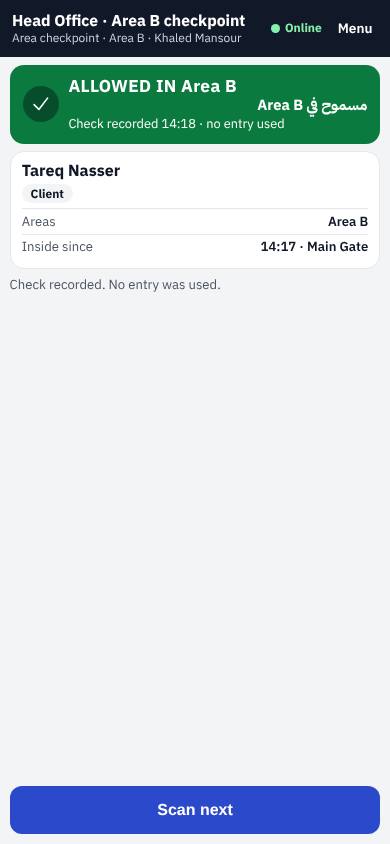
A pass in their pocket.
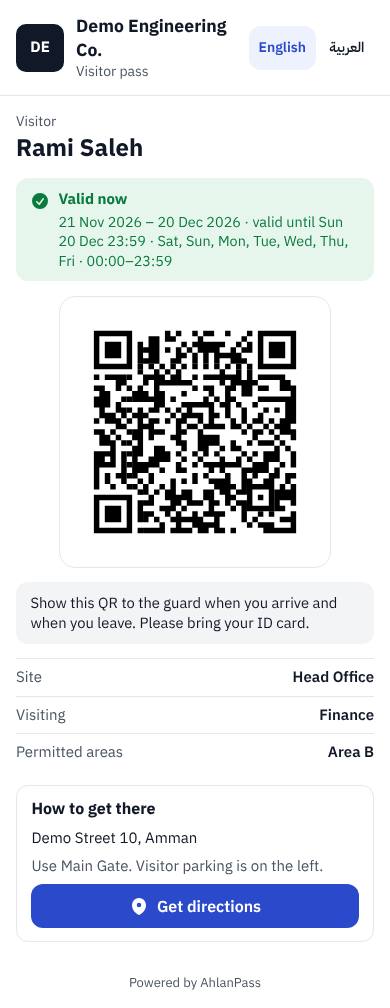
Visitors receive their pass on WhatsApp: the days and hours, the host, the areas, and what to bring. If a photo will be taken or a vehicle is allowed, the pass says so.
- Days, hours and overnight
- Single, daily or unlimited entries
- Allowed stay per visit
- Bring your ID notice
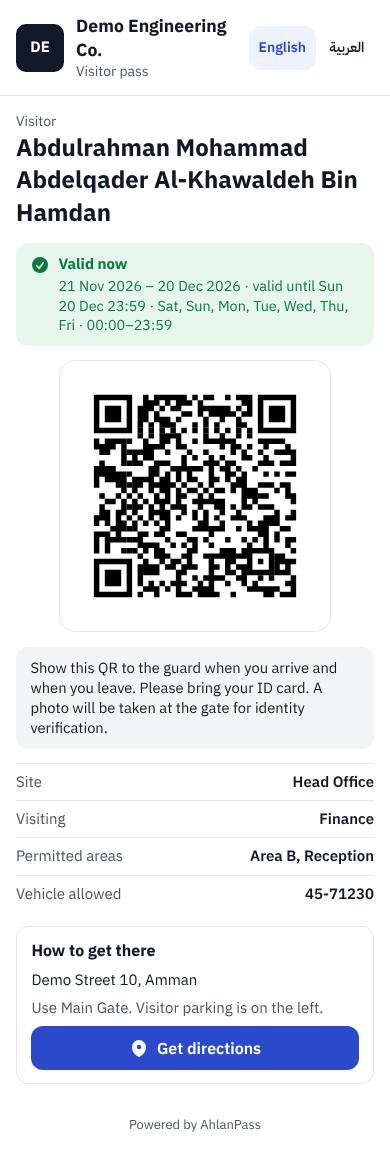
ID, photo and rules, before anyone goes in.
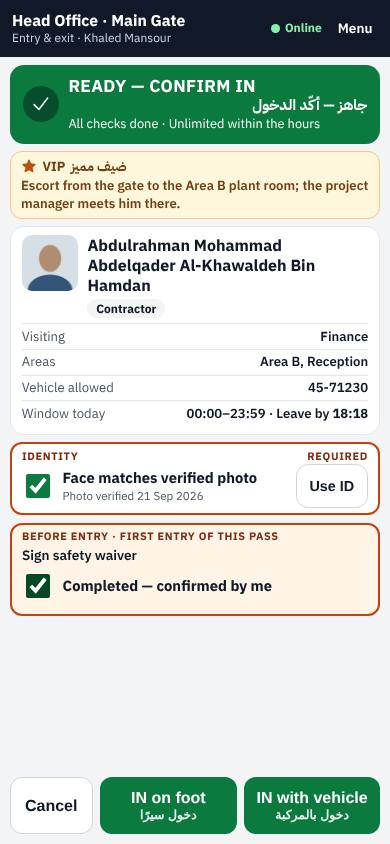
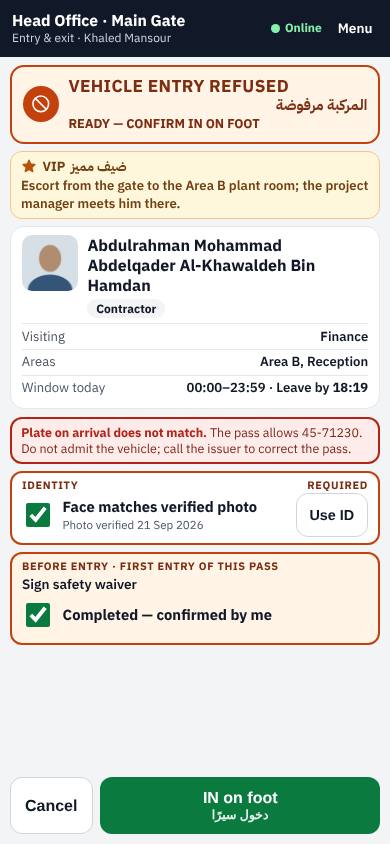
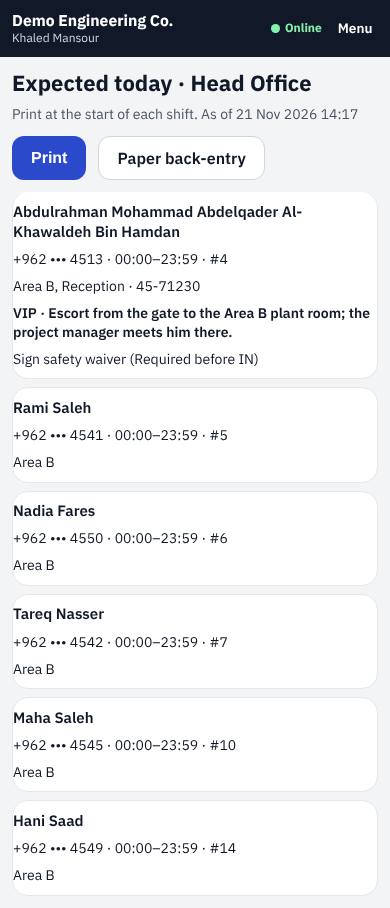
The guard scans, checks the ID, takes or matches the photo, and confirms each before-entry requirement: safety rules, a signed waiver, protective equipment. Only then can IN be confirmed.
- ID check before IN
- Visitor photo and face match
- Before-entry requirements
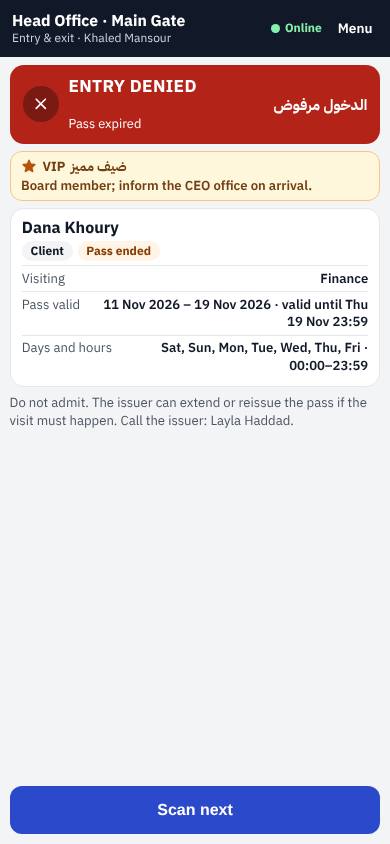
- VIP note for the guard
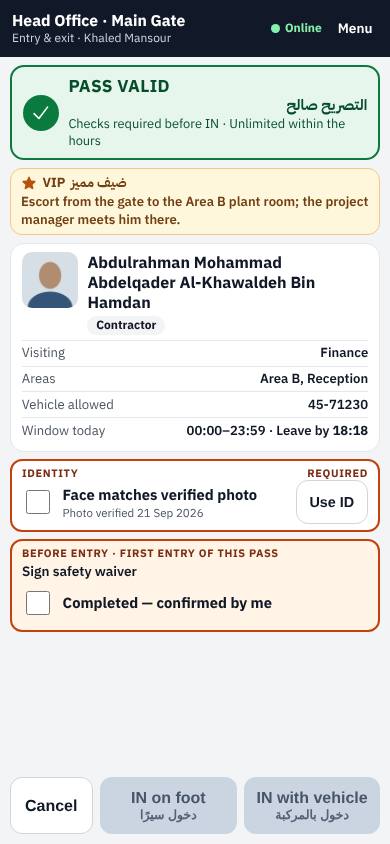
Cars in, only with the right plate.
A pass can allow a vehicle with its plate. The guard confirms the plate on arrival; a different plate is refused, and the visitor can still walk in.
- Plate on the pass
- Plate check at the gate
- Find visitors by plate
- Refused vehicle, entry on foot
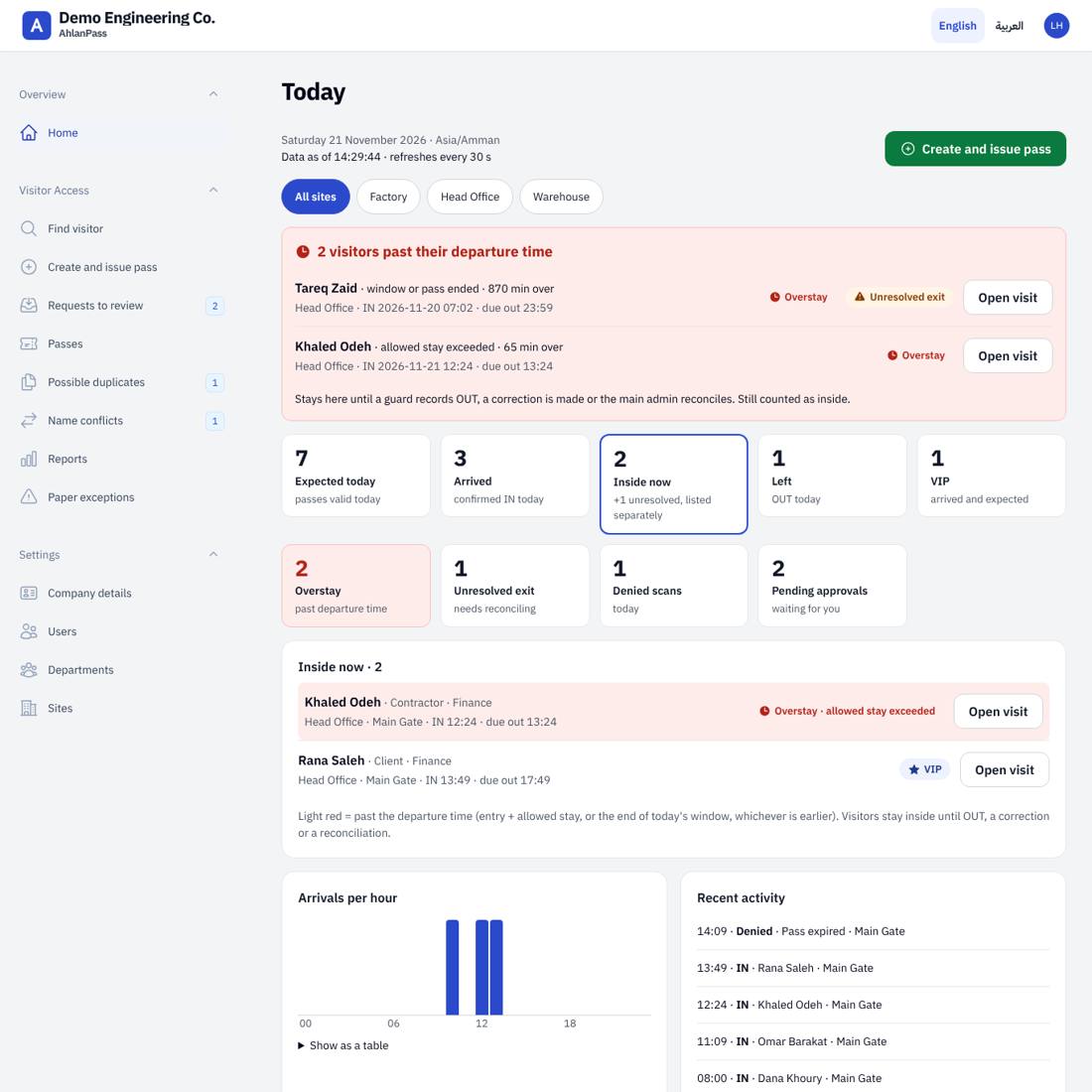
Know who stayed too long.
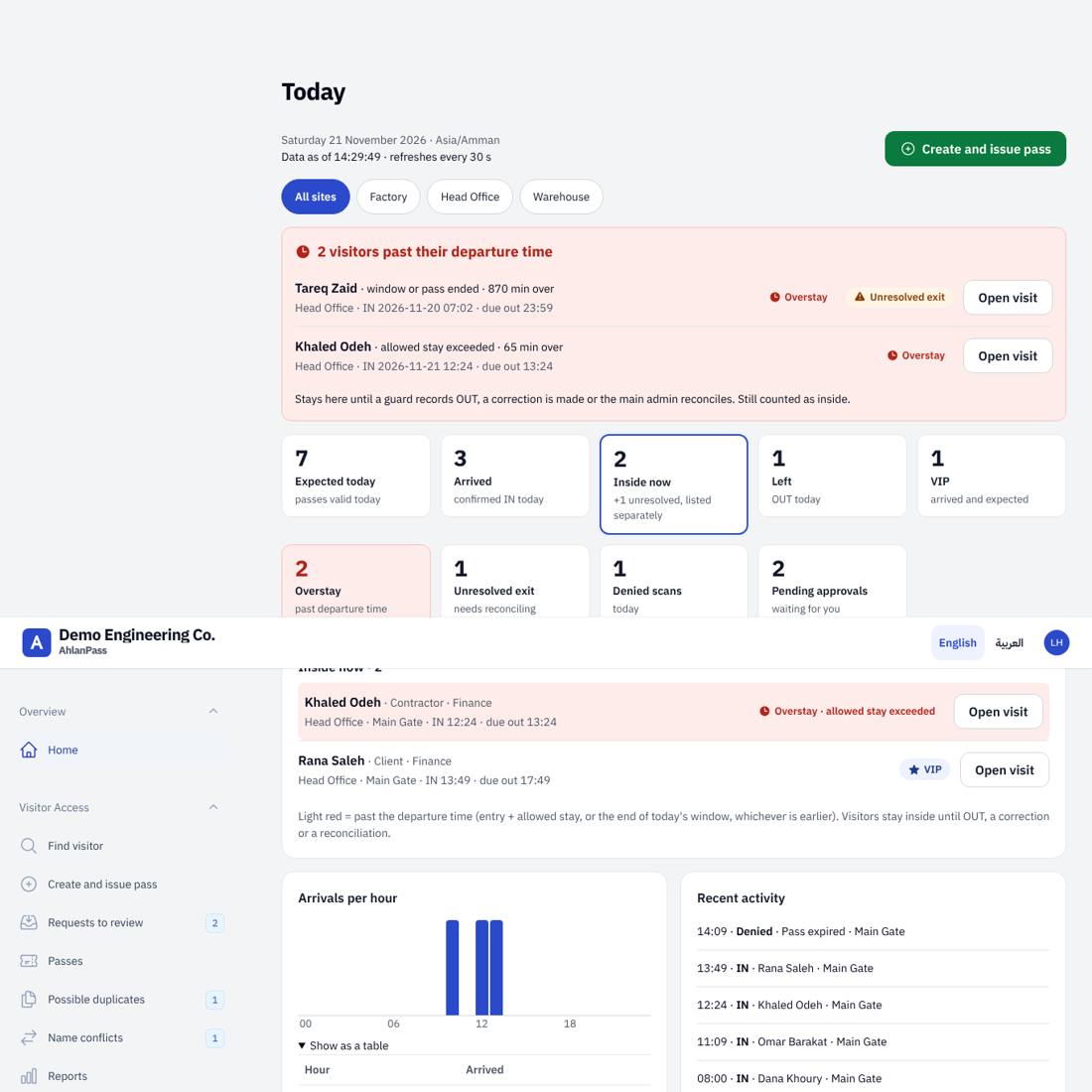
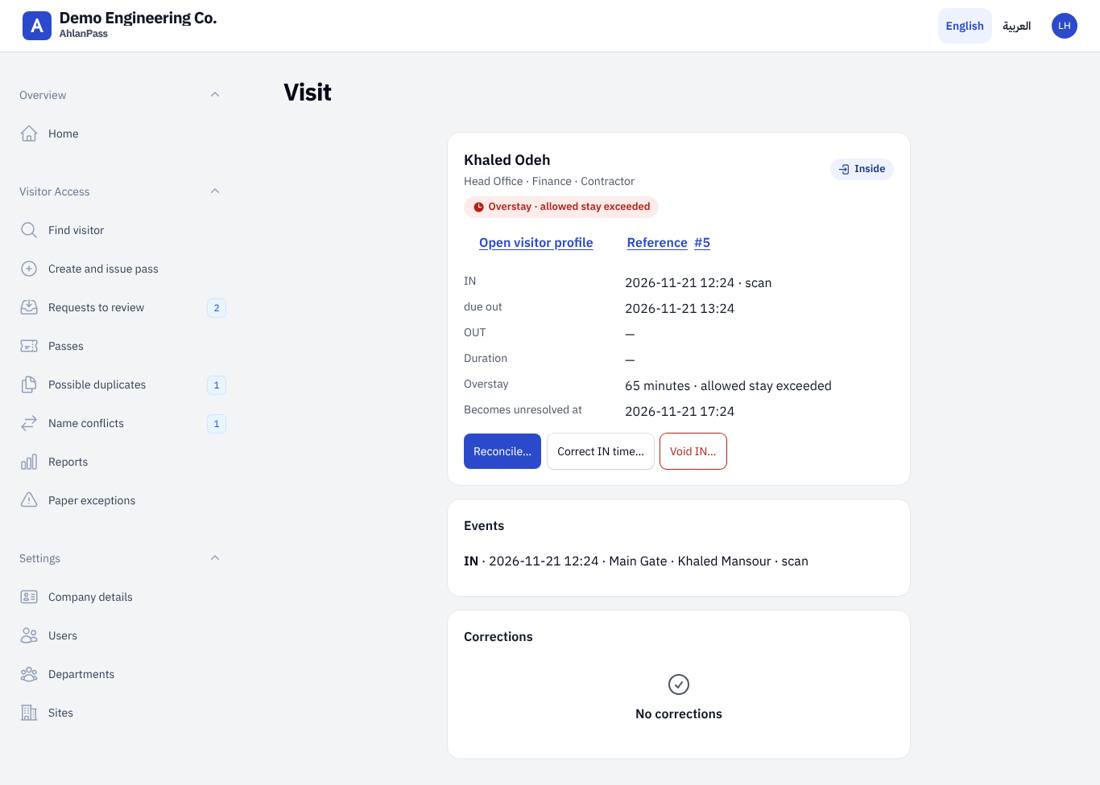
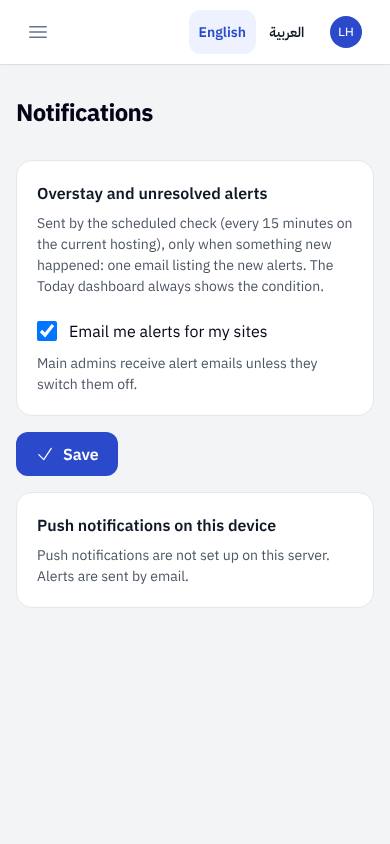
Each visit has its allowed stay. Visitors past their time are flagged on the dashboard, and security gets an email or a push alert, along with blacklisted or unresolved visits.
- Allowed stay per visit
- Email and push alerts
- Blacklisted-inside alert
- Unresolved visits
A clear answer for every scan.
Expired, not yet valid, wrong gate, wrong area, daily limit reached, revoked or blacklisted: the guard sees why, and what to do next.
Ready for whoever arrives.
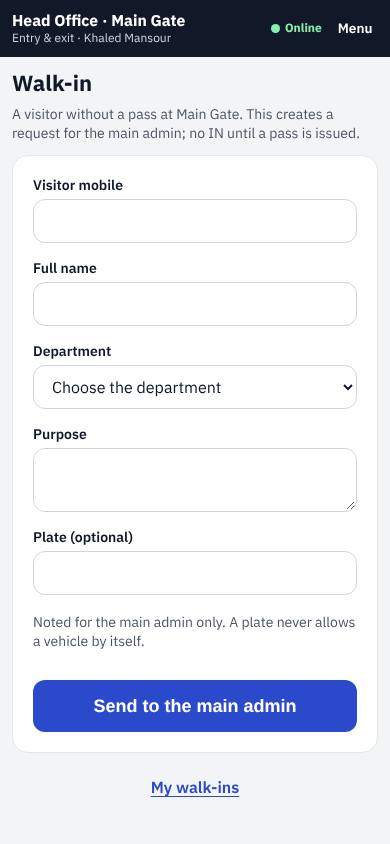
Each gate sees who is expected today. A visitor without a pass becomes a walk-in request for the main admin, with their plate noted.
- Expected today list
- Walk-in requests
- Paper fallback and back-entry
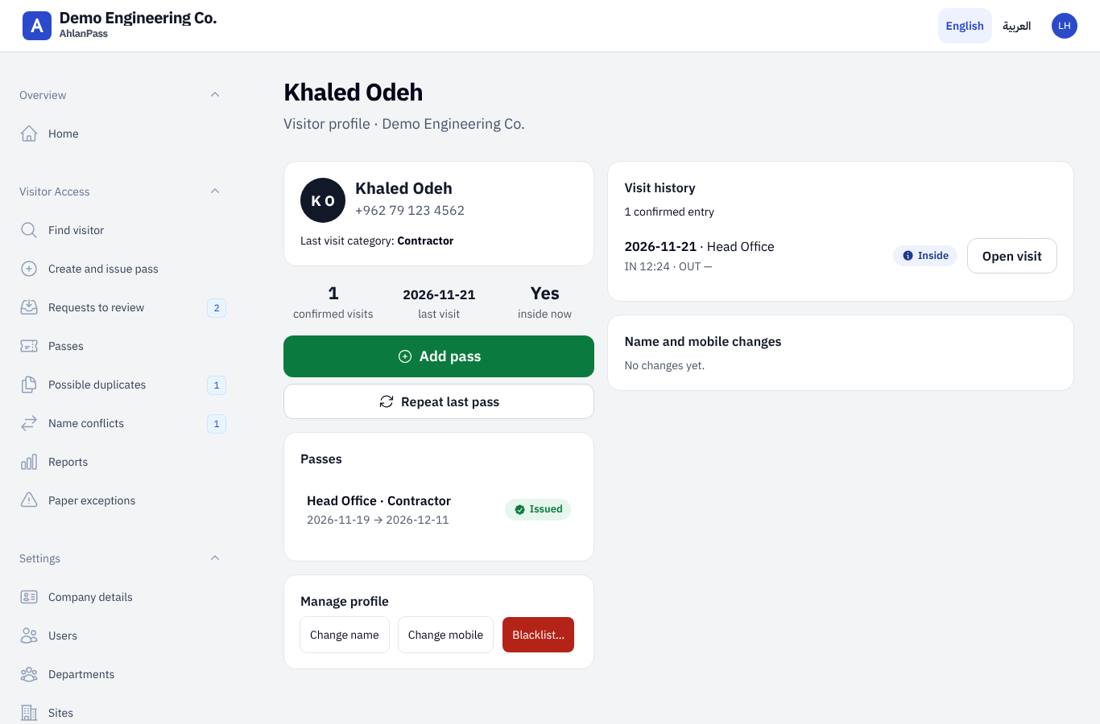
- Find by mobile, plate or ref
Every decision, on record.
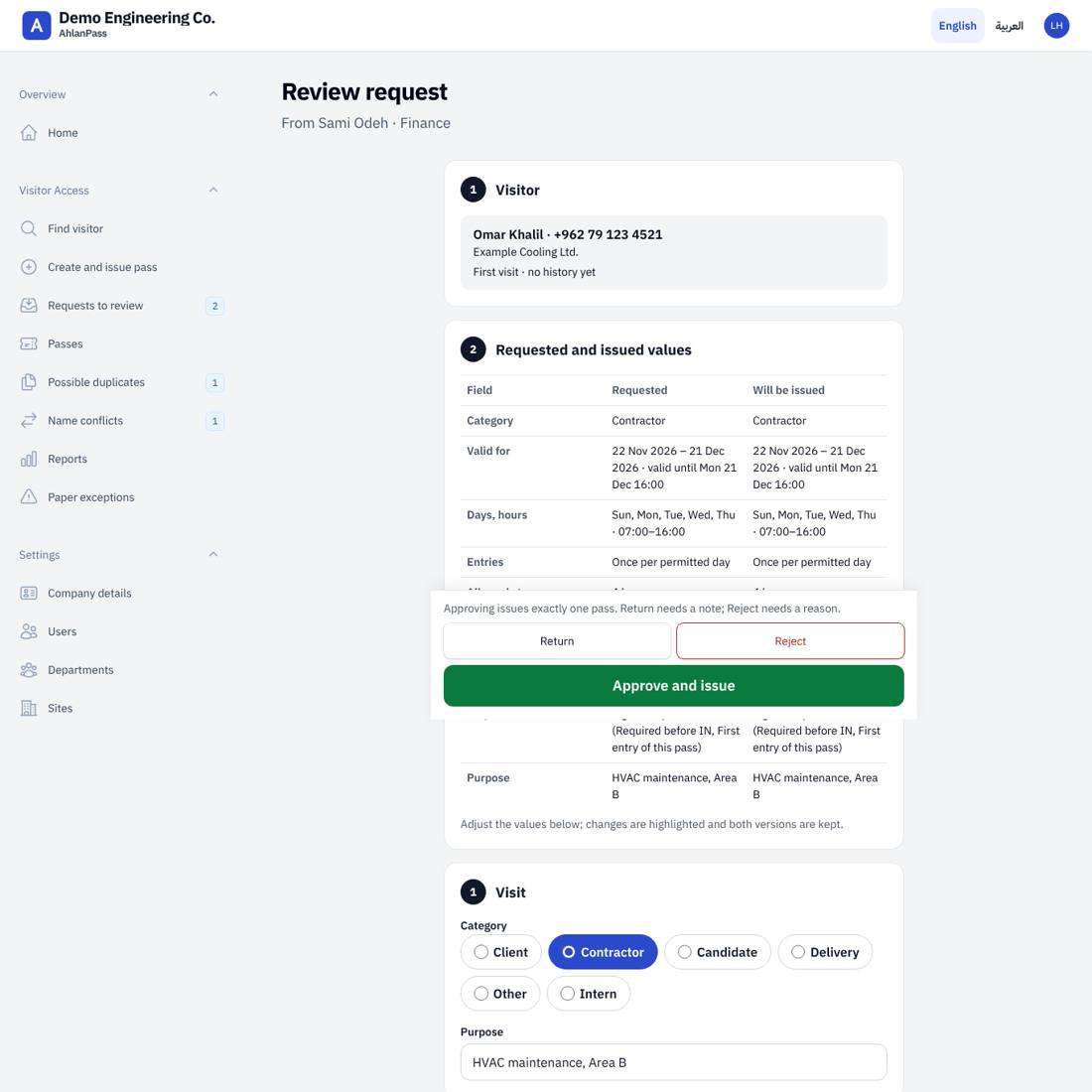
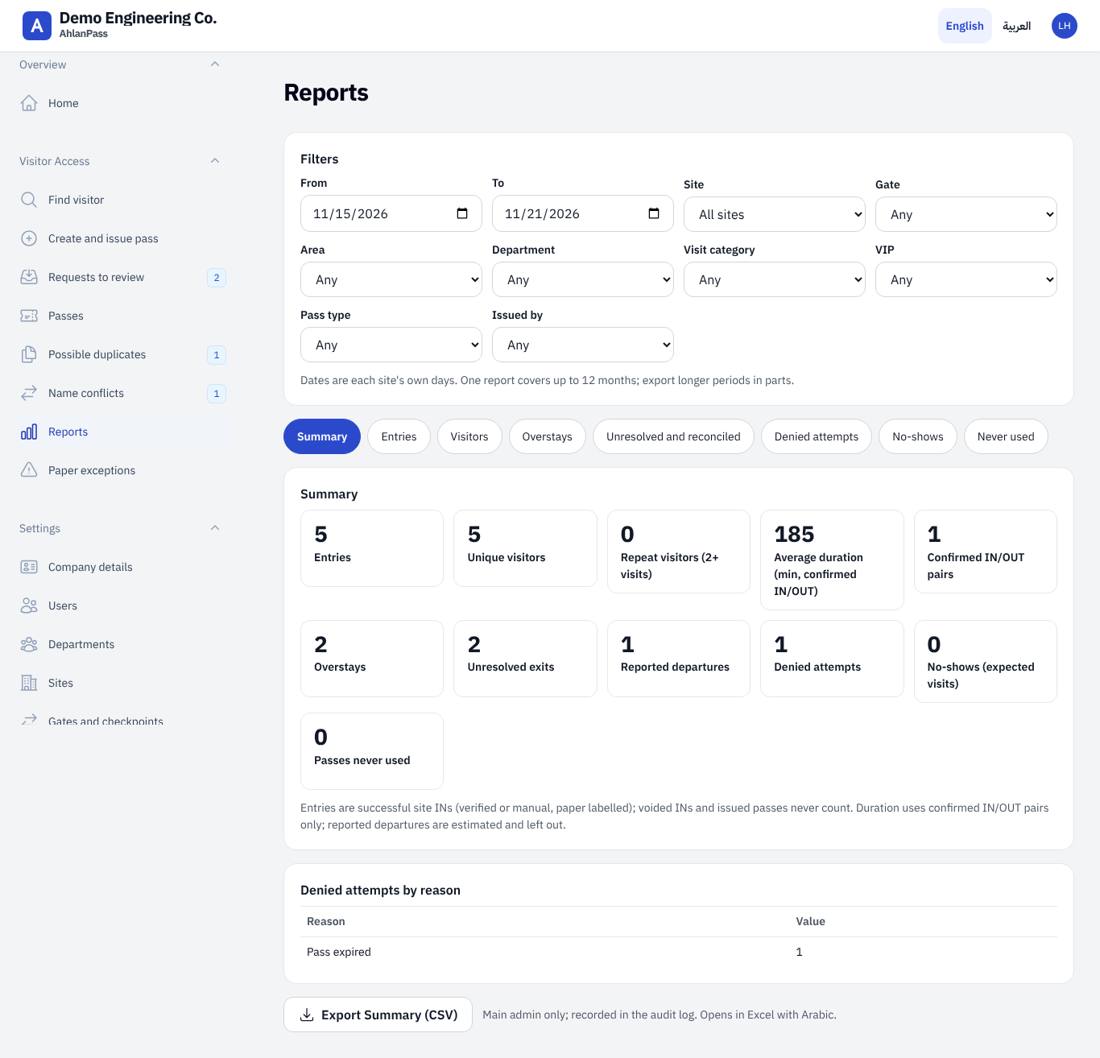
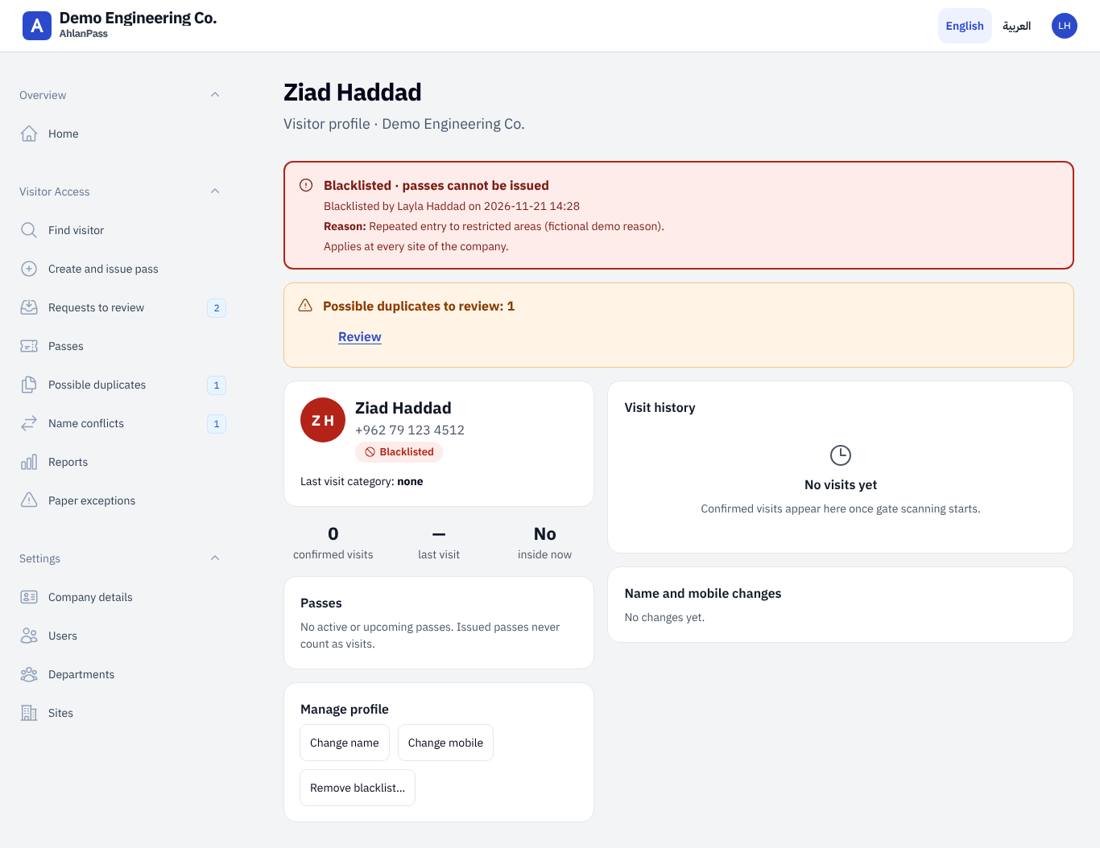
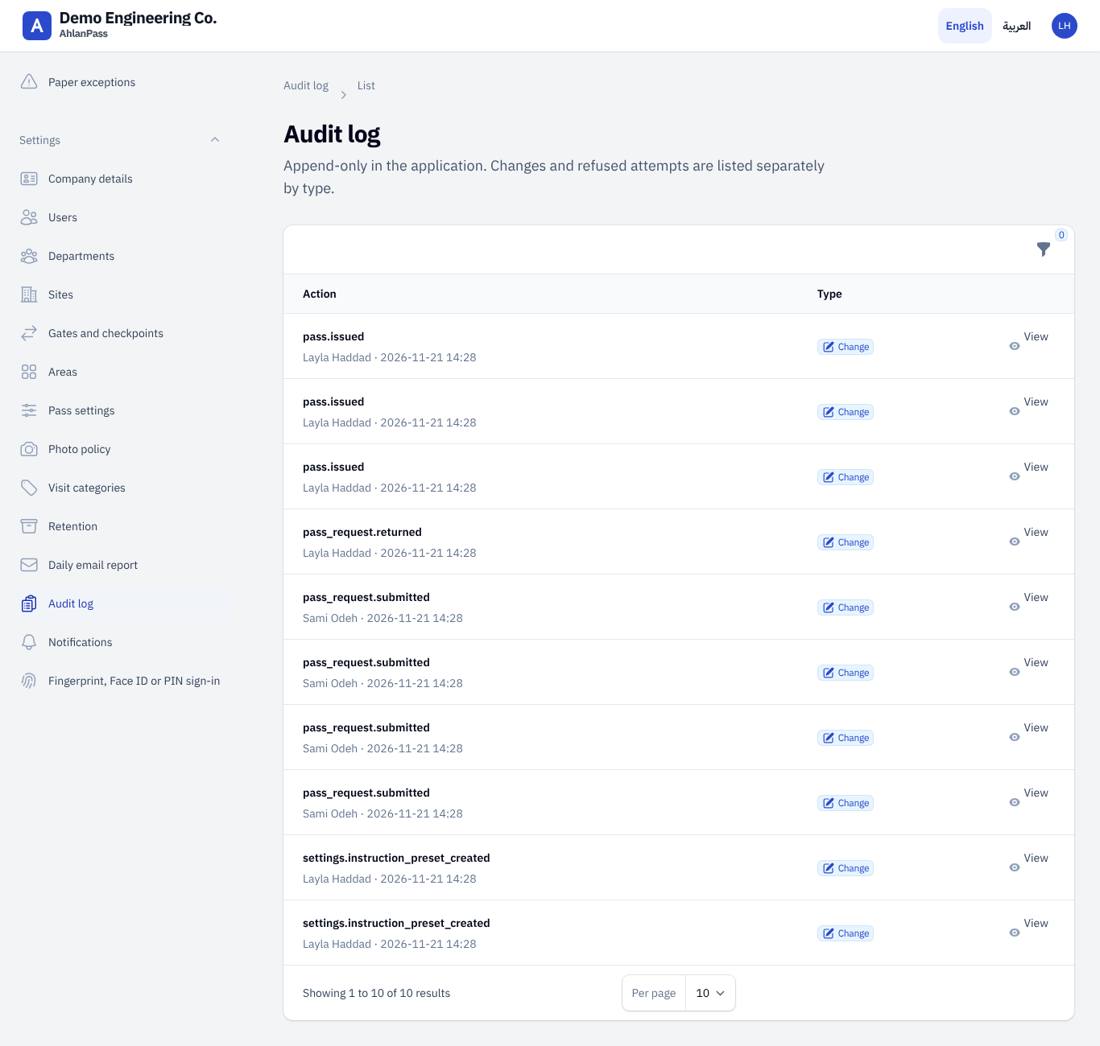
Department heads request passes, the main admin approves. Daily reports, visitor histories, the blacklist and a full audit log keep every action on record.
Everything for your gates
Passes
- Passes on WhatsApp or link
- Days, hours, overnight windows
- Single, daily or unlimited entries
- Allowed stay per visit
- Vehicle with plate
- Before-entry requirements
- Visit categories
- Extend, revoke, replace QR
- Repeat last pass
At the gate
- Scan on any phone
- ID check
- Visitor photo and face match
- Plate confirmation
- Areas and checkpoints
- Roaming area checks
- Walk-in requests
- Paper fallback
- Guards sign in with company code
Security and control
- Who is inside now, by site
- Overstay and unresolved alerts
- Email and push notifications
- Department-head requests and approval
- Arrival notice to the department
- Blacklist with reasons
- Daily reports and history
- Corrections, always audited
- Two-step sign-in and passkeys
- Data retention and backups
Asked often
Do guards need special devices?
No. Any phone with a camera works; guards sign in with the company code.
Can visitors sign a waiver?
A waiver, NDA or safety briefing can be a before-entry requirement that the guard confirms at the gate before IN.
Is our data kept separate?
Yes. Each company’s data is kept apart, backed up daily and audited.
Know who is inside.
We set up one of your gates with you and scan the first pass together.